Multi timer · alarms · reminders

Always know it's set.

Pasta in 10 minutes, call back at 5, medicine three times a day, gym rounds. Every timer shows when it will ring, and it really rings: screen off, on silent, after a restart.

Free. No ads, no account, no internet needed.

Tickio Live demo
Timers
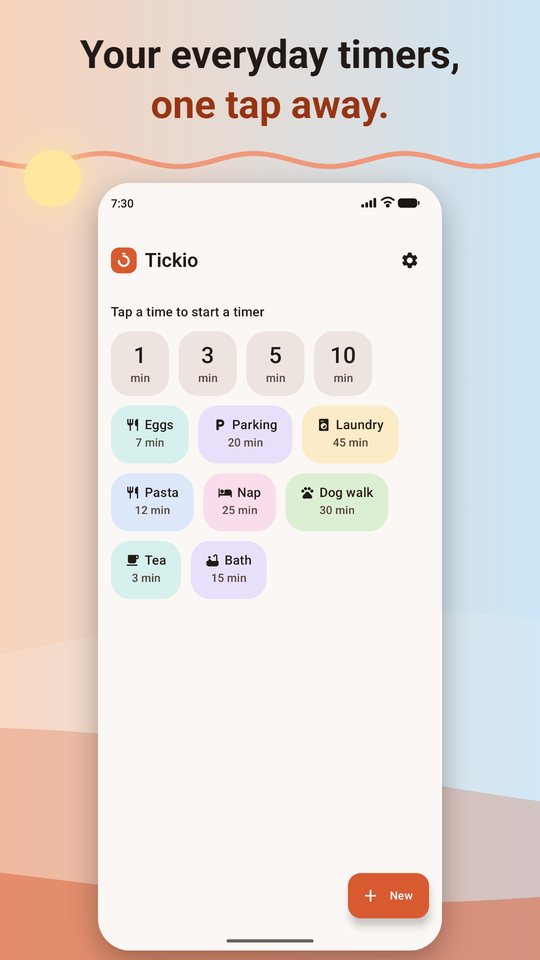
Quick start

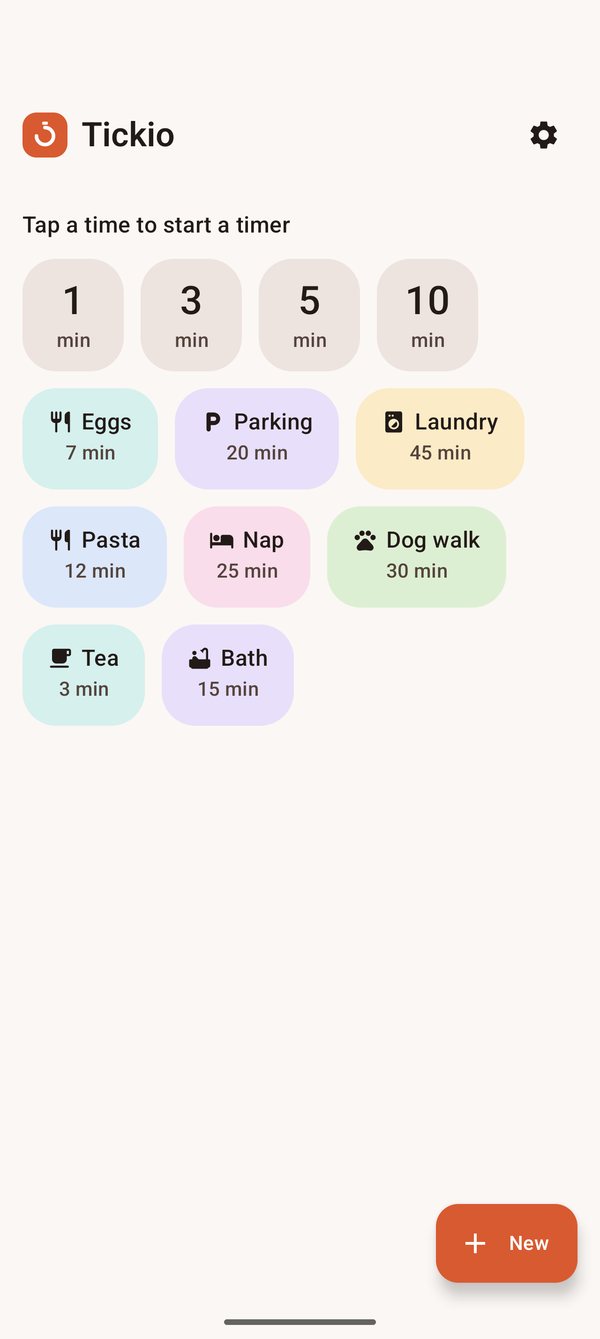
Tap a time to start a timer. Try 10 seconds and let it ring.

Multiple timers at once

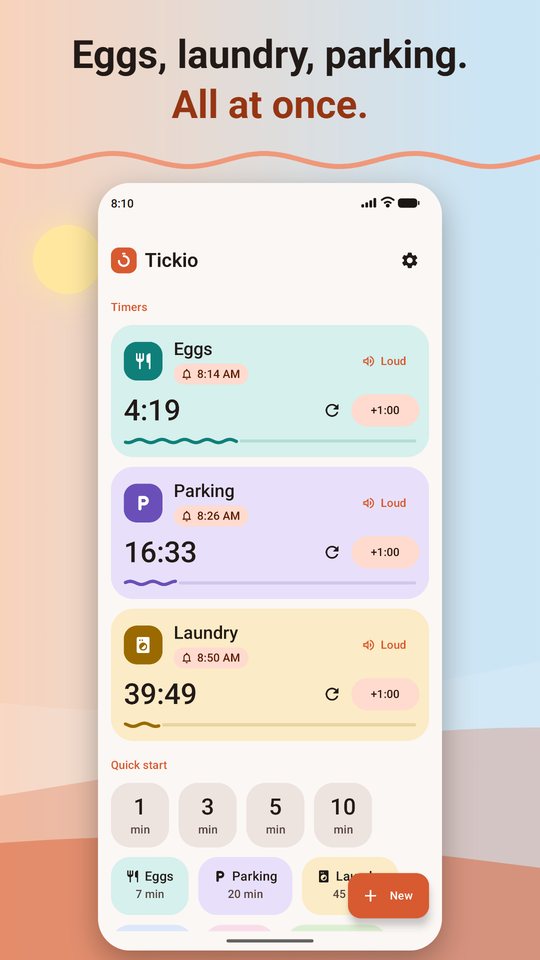
Eggs, laundry, parking. All at once.

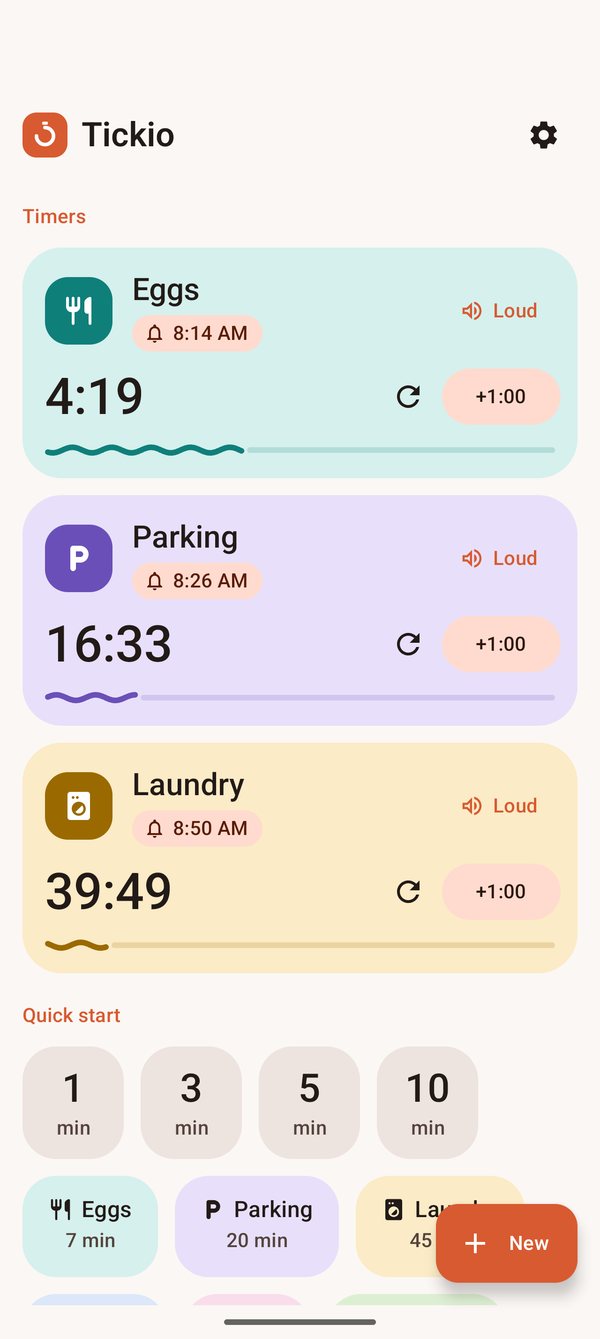
Run as many countdown timers as you like, side by side. Each has its own colour and icon, a big countdown, and the time it will ring.
  • Tap "10 min" and it's running. Start the same timer twice and it becomes a Quick start tile
  • Or tap New and turn the wheels: the line above them always says "Rings at 19:52 · in 10 min"
  • Pause with a tap, add a minute, swipe to remove
  • A kitchen timer, an egg timer, the laundry, the parking meter, a nap
Three timers running at once, eggs, parking and laundry, each with its colour, countdown and ring time
Quick start tiles for everyday timers such as eggs, pasta, a nap, tea and the dog walk
Reminders and repeating alarms

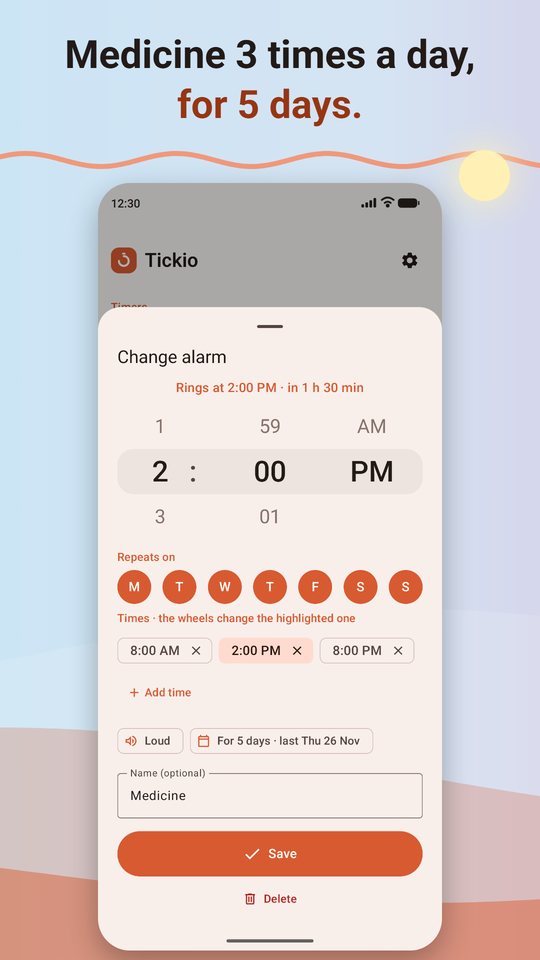
Medicine 3 times a day, for 5 days.

"Call Maria at 17:00", once. "Wake up on weekdays at 07:00." Tap the days, add the times, and a plain line says when it rings next.

  • Several times in one alarm, each day you choose
  • For a number of days, then it stops by itself
  • Skip a single ring without turning the alarm off
  • Heavy sleeper? Give it 07:00, 07:05 and 07:10: stopping one doesn't cancel the next

Change alarm

Repeats on

Times

8:00 AM2:00 PM8:00 PM
For 5 days
On your home screen and wrist

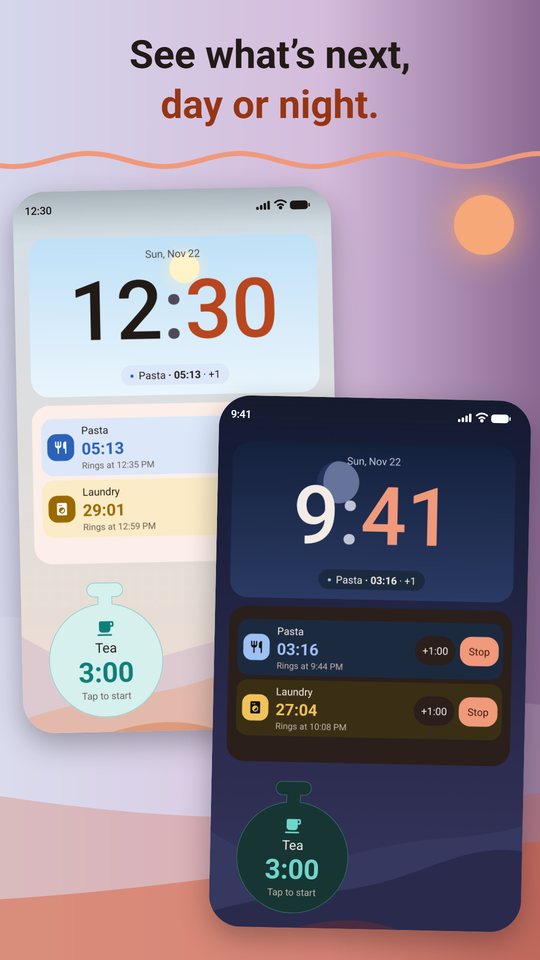
See what's next, day or night.

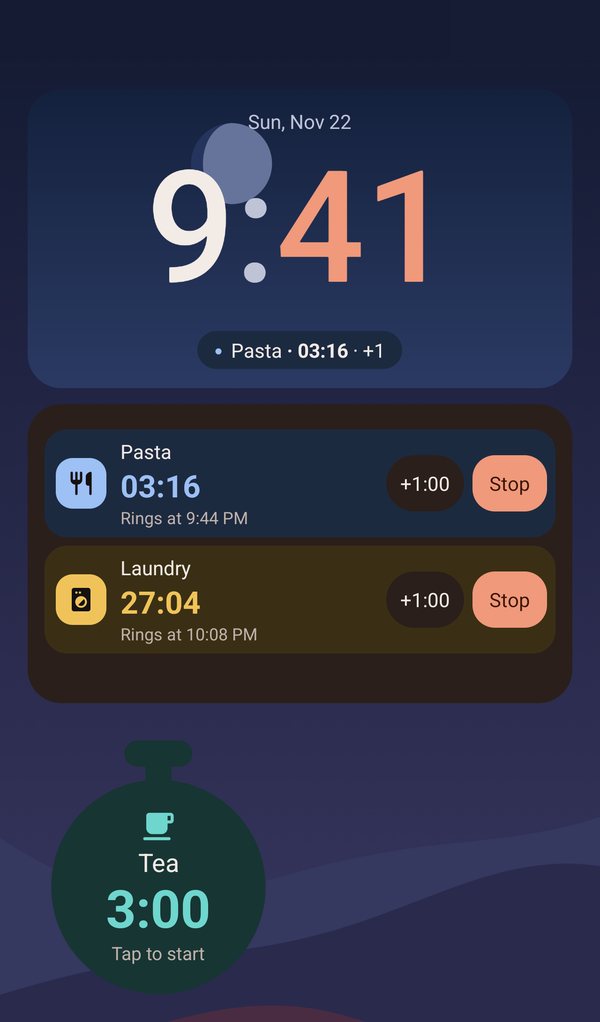
Widgets keep what's coming up in sight, without opening the app.
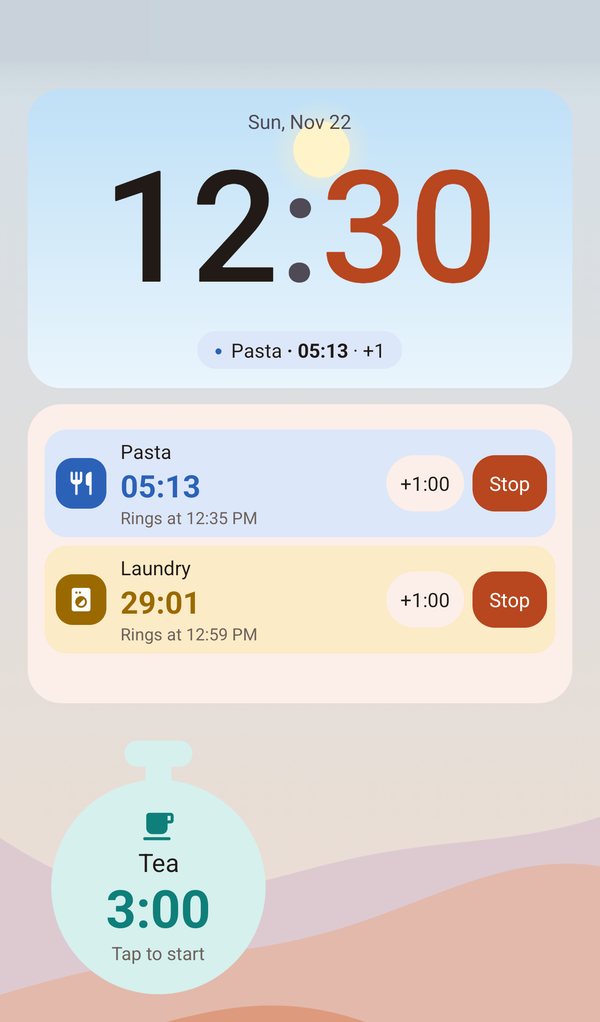
  • A timer widget with your running timers or quick-start tiles
  • A one-tap timer: press the stopwatch to start your favourite, from tea to a nap
  • A clock widget that also says what rings next
  • Stop or pause from your watch, through its notifications
Home screen widgets in light: a clock with what rings next, running timers and a one-tap tea timer
The same widgets in dark at night
Interval timer for workouts

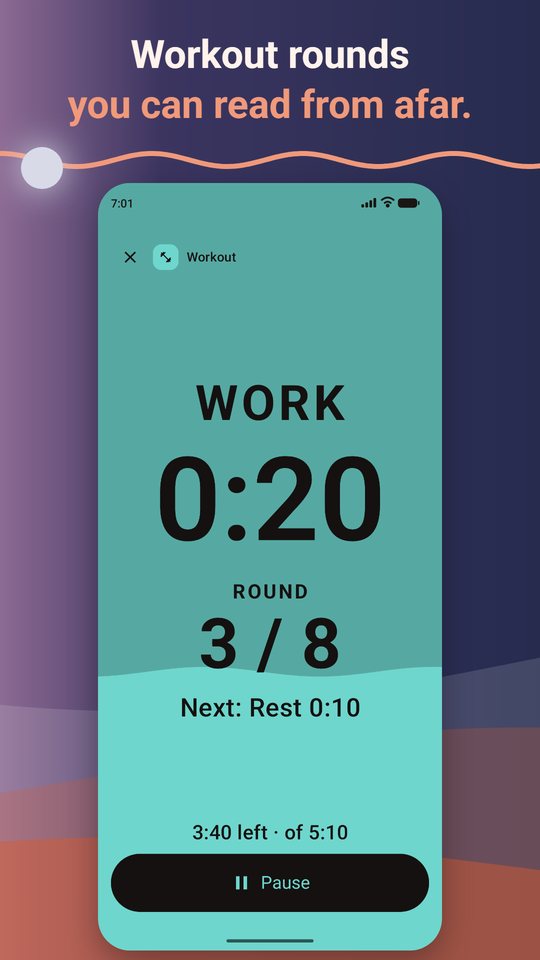
Workout rounds you can read from afar.

A gym timer for HIIT and other workout rounds. Work, rest, rounds: 30 s / 10 s × 8.

  • Beeps at every switch, and a 3-2-1 before it, with the screen off
  • Optional voice cues: "Work. Round 3 of 8"
  • A big full-screen view you can read from across the room
Workout
WORK
0:20
ROUND
3 / 8
Next: Rest 0:10
3:40 left · of 5:10
It really rings

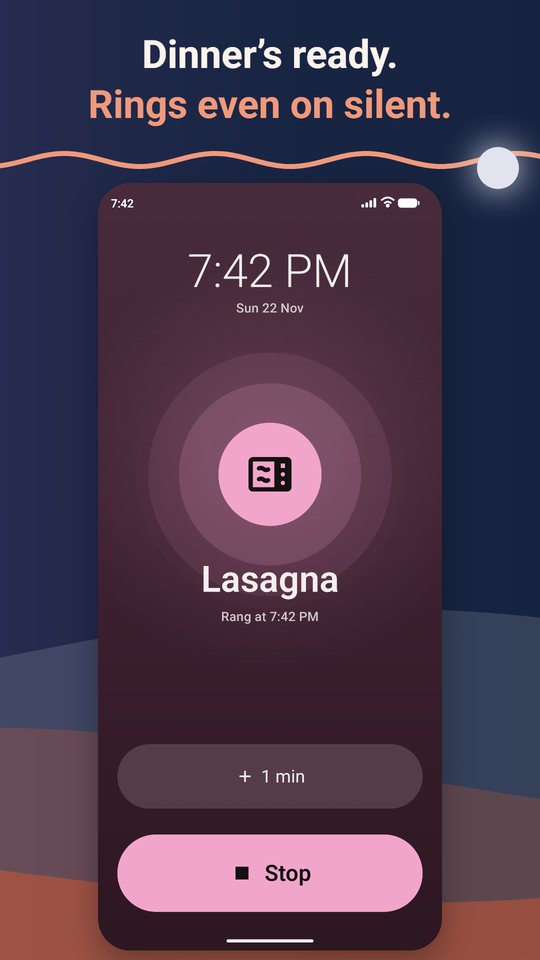
Dinner's ready. Rings even on silent.

Every timer is scheduled as an alarm, so it rings on time with the screen off, after a restart, and across daylight saving and time-zone changes.

  • A full-screen ringing screen over the lock screen, in the timer's colour
  • One big Stop button, and one more minute if you need it
  • If something was missed, Tickio tells you why

Alarms start quiet and grow louder over about 30 seconds.
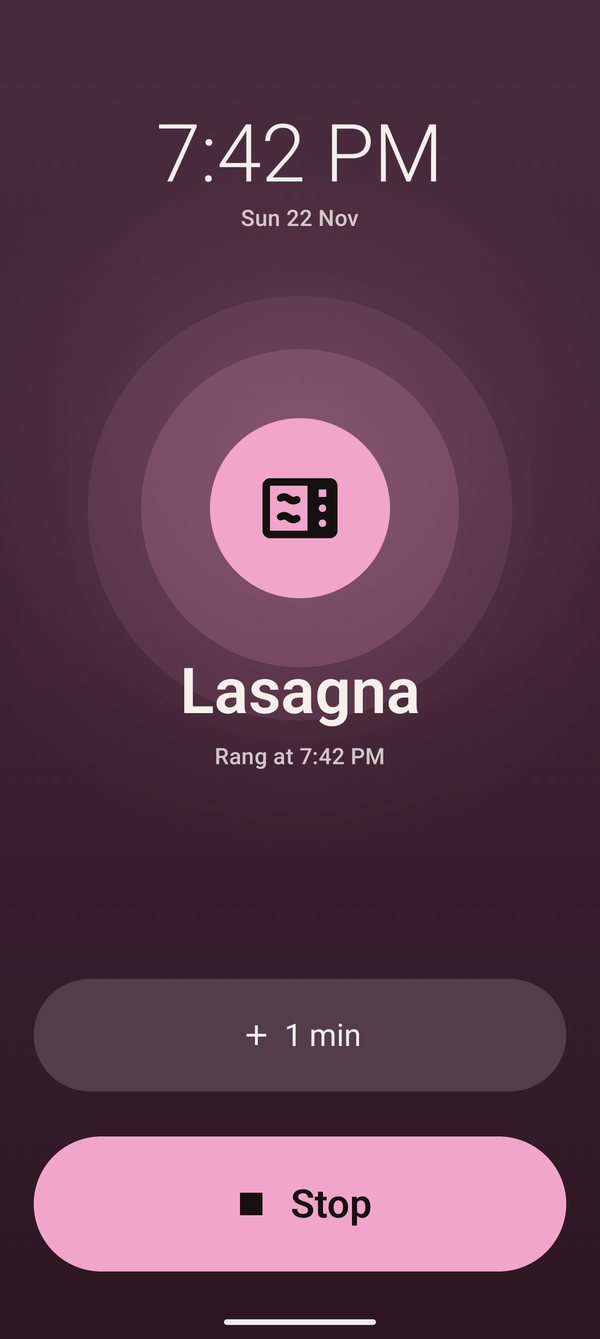
The ringing screen for a lasagna timer in dark mode, with a big Stop button and one more minute
Alarm clock

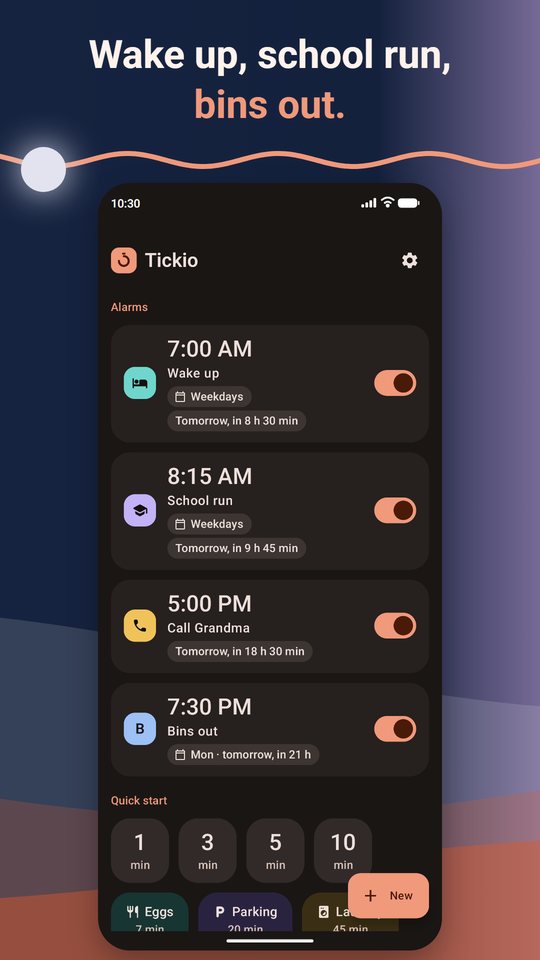
Wake up, school run, bins out.

Every alarm says when it rings next, in plain words, so you go to sleep knowing it's set.
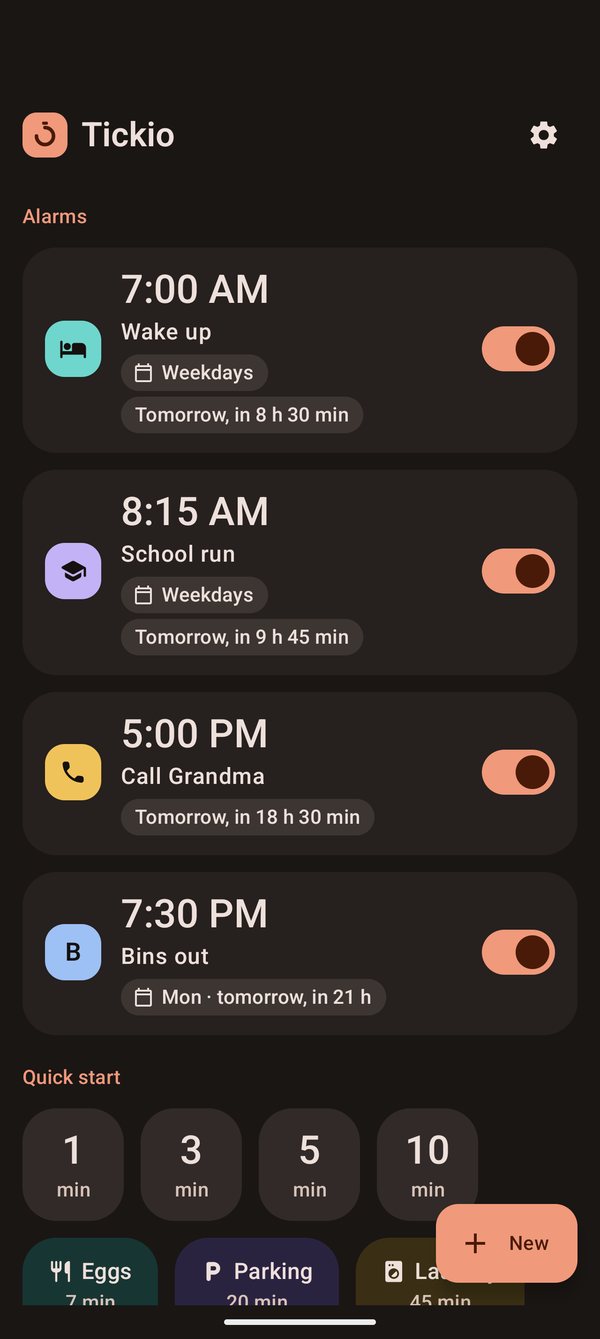
  • Weekdays, weekends, or just Monday for the bins
  • A switch on each one
  • Light and dark themes, large text support
7:00 AM · Wake upWeekdays
Alarms in dark mode for waking up, the school run, a call to Grandma and bin day, each with a switch
Tells you if your phone could block it

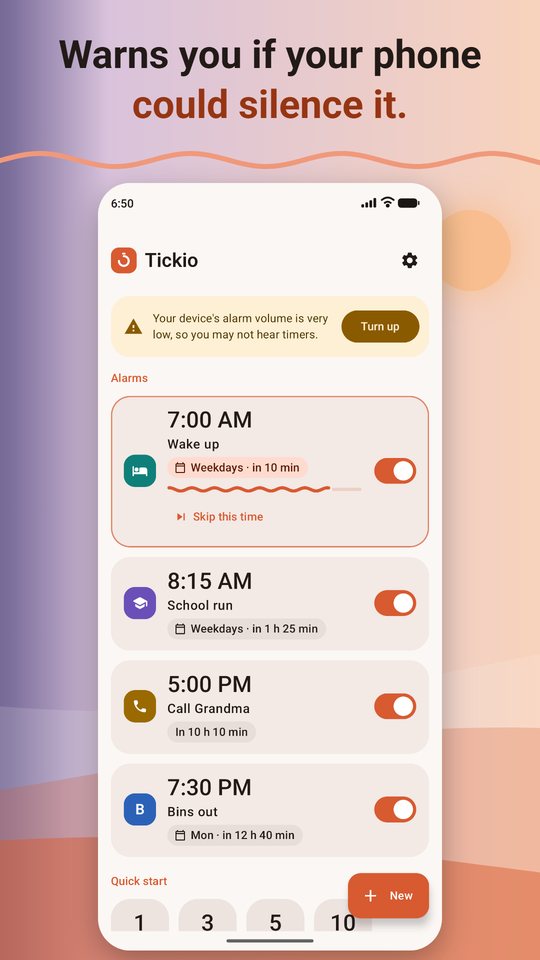
Warns you if your phone could silence it.

Tickio notices, says so in plain words, and takes you to the right setting with one tap.
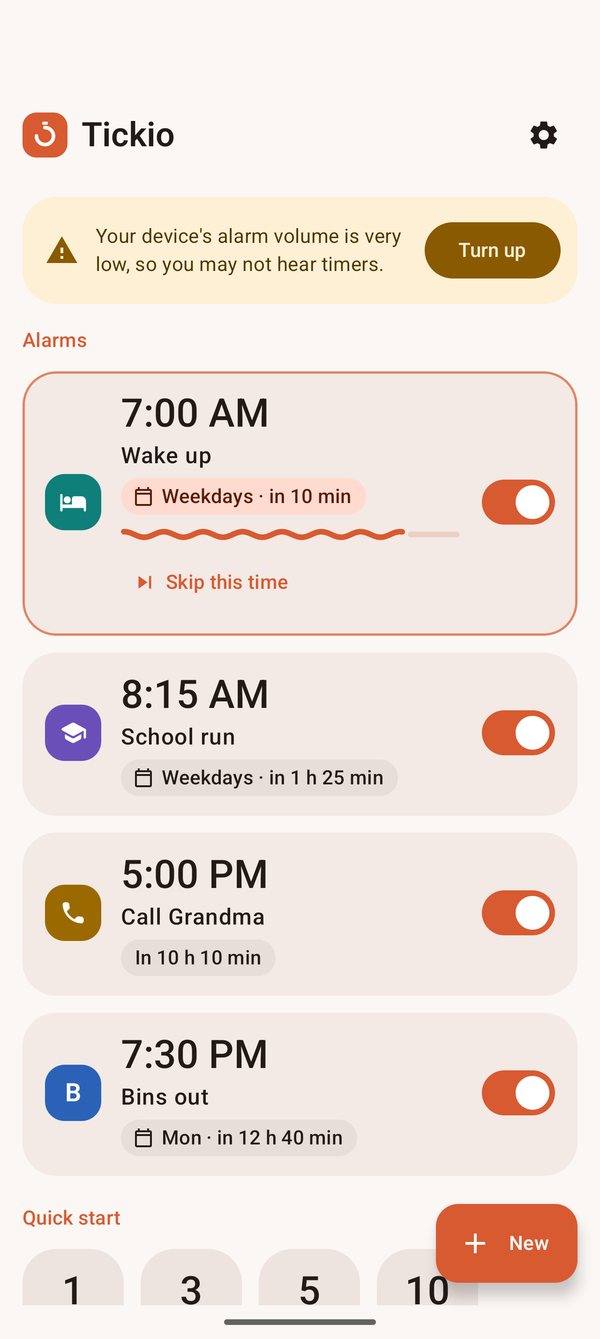
  • Alarm volume at zeroA Turn up button, right above your alarms
  • Do Not Disturb silencing alarms
  • Battery saving that stops apps in the backgroundStep-by-step help for Samsung, Xiaomi, Huawei, OnePlus and Oppo
  • Exact alarms and notifications turned off
  • A clock that isn't set automatically
A warning that the device's alarm volume is very low, with a Turn up button, above the morning's alarms
No internet permission

Private and simple.

Tickio works fully offline and has no internet permission, so it can't send your data anywhere.

No internet accessYour timers, alarms and their names never leave your phone.
No ads, no trackingNo analytics, no crash reporting, no advertising ID.
No accountNothing to sign up for. Open it, tap 10 min.
No data collectedOnly Android's own backup, if you use it, saves a copy.

Read the privacy policy.

Screenshots

One day with Tickio.

Morning to night and round to morning again, in light and dark.
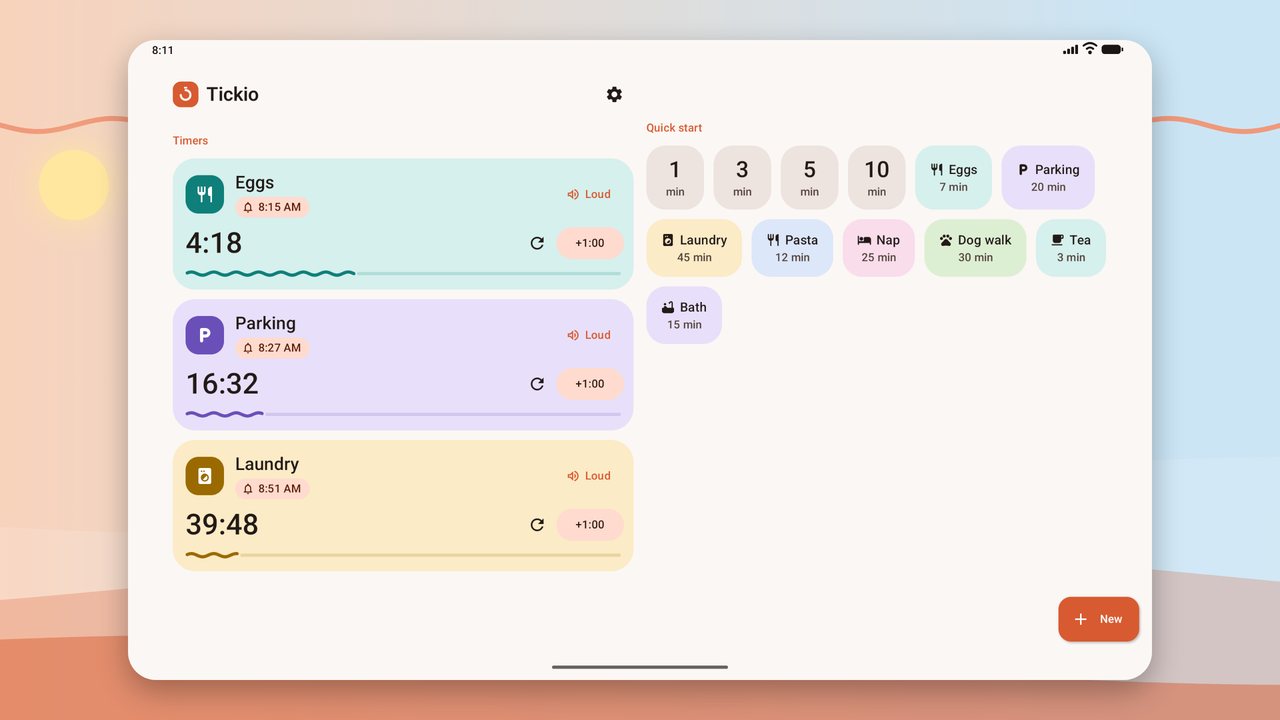
On a tablet, eggs, parking and laundry timers run beside Quick start tiles
Phone and tablet layouts…
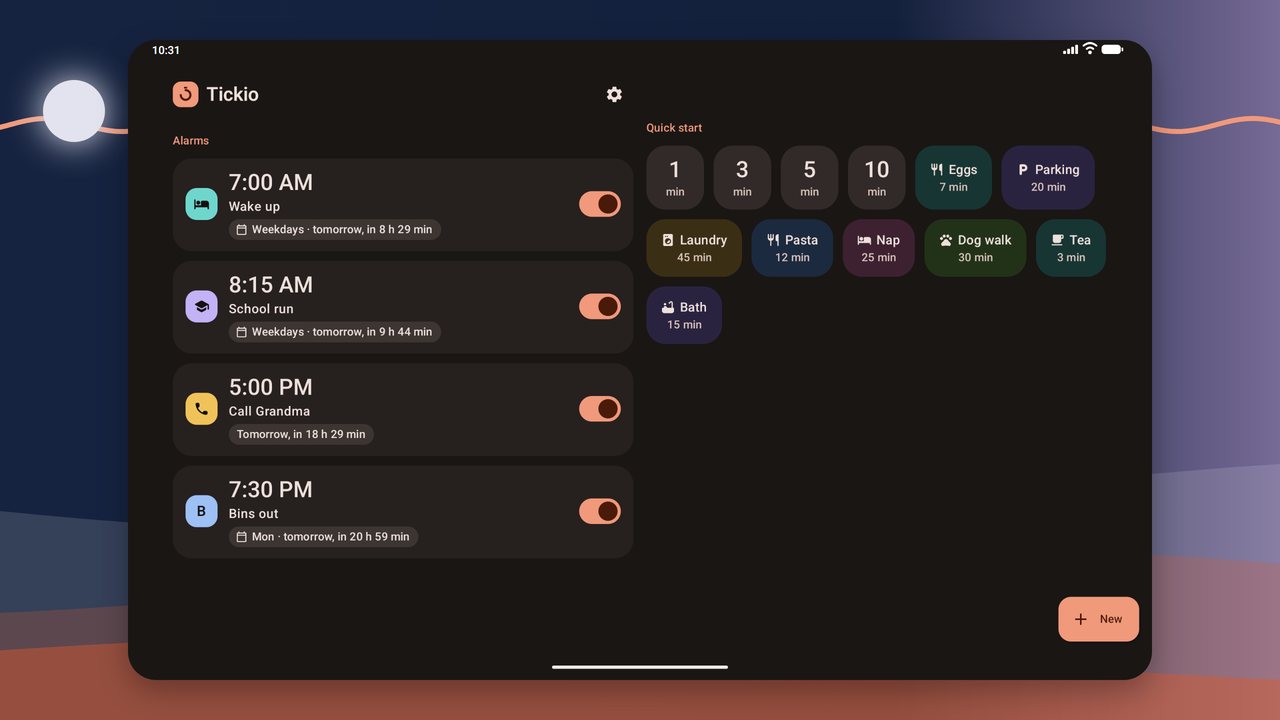
A tablet at night in dark mode: alarms beside Quick start
…by day and by night.
Good to know

Simple, and honest about it.

Free, with no adsEvery feature is in the app, with no account and nothing to unlock.

Only the permissions it needsNotifications, exact alarms and the ringing screen, so it rings at the exact minute. Nothing else.

Your phone has the last wordSwitched off, out of battery or force-stopped, no app can ring. Tickio warns you about what it can detect.

A second reminder for what mattersFor medicine that must be taken at a set time, or anything where a missed ring could cause harm, use a second reminder too.

Light and dark, large textMaterial You, light and dark themes, large text support, phone and tablet layouts.

Android 8.0 and laterPhones, tablets and foldables, and your watch through its notifications.

Tickio

Always know it's set. Free, no ads, works offline. Questions or ideas? Send us a message.